How to use Reading Light


The Reading Light feature on Night Zookeeper encourages children to build a love of reading by making it fun to track their progress.
Kids can log the books they've read, record the time they've spent reading, and grow their own virtual bookshelf filled with completed titles. They can also write short summaries to reflect on what they've read, helping to strengthen reading comprehension.
Best of all, they earn rewards for their reading time, keeping them motivated to read more every day!
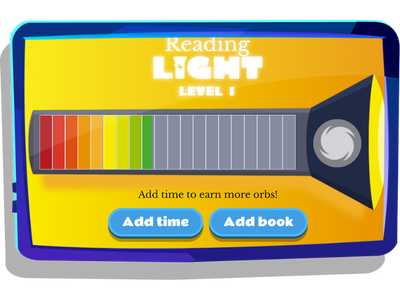
Whether you're a homeschooler, parent, or teacher, this feature is perfect for encouraging and celebrating reading for your child/students! Here's how it works:
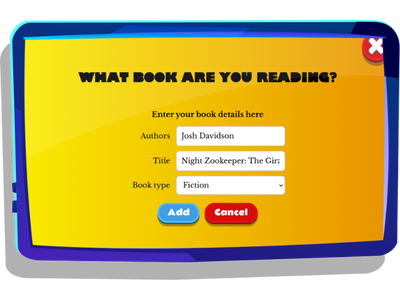
1. Add a book
By clicking 'add a book', kids can add a new book to their virtual bookshelf (including book type, author, and title).
2. Add reading time
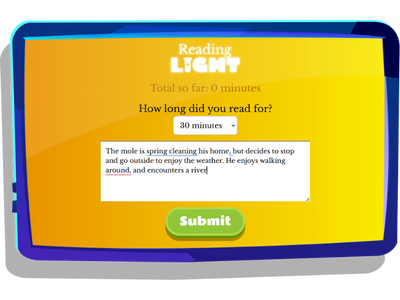
When children select 'add time', they can record how long they spent reading and write a short summary of what they read. This encourages them to reflect on the story, strengthening their reading comprehension, recall, and summarizing skills. It also helps track their reading progress while creating a handy record they can revisit whenever they need a quick reminder of what's happened in their book. Note, each summary is submitted for review by the Night Zookeeper tutor team for verification.
3. The bookshelf
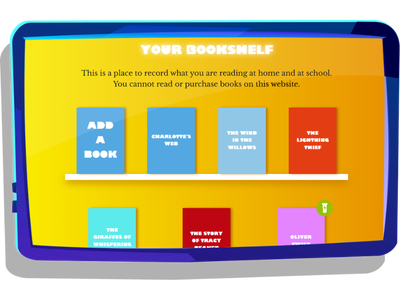
Each book that a child adds goes into their bookshelf. From here, they can see what they have read so far, add reading time to any of the books, and keep track of their progress.
4. The torch
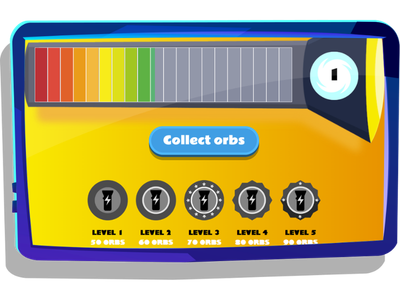
Each time a child adds reading time, it powers up the torch. Once the torch gets full, they can level up. Children earn orbs for tracking their reading, motivating them to keep going!
Try Reading Light on Night Zookeeper!
Log in and try it today!
Haven't tried Night Zookeeper yet?
Get your child excited to read today with a 7 day free trial, where you can explore Reading Light alongside hundreds of other features that encourage reading and writing in a fun way that doesn't feel like learning!
Got any questions? Email us at [email protected]. Follow us on social media:


Make Reading & Writing Fantastically Fun!
- Award-winning reading & writing program for kids
- Improves spelling, grammar, punctuation & vocabulary
- Over 1,000 different learning games and activities


How to Homeschool and Work From Home


How to Write a Paragraph


How to Write a Summary